Customizing the Interface
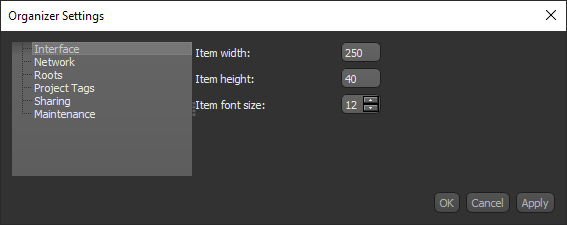
The Interface settings, shown below, let you choose how items appear in listed projects. You can specify a width and height for items, as well as choose a font size.
Organizer Settings dialog
How to Customize the Interface
- Click the Settings button
 on the left sidebar of the Organizer dialog.
The Organizer Settings dialog appears.
- Click Interface in the Navigation pane.
The Interface panel appears in the dialog.
- Do the following, as required.
- Set the maximum width, in pixels, for project items.
- Set the height, in pixels, for project items.
- Choose a font size for project items.
- Click Apply or OK to save your changes.